Skip to content
Open Source · MIT · Free · v1.1.3

Automatic Turkish subtitle plugin
for Premiere Pro.

One click inside Adobe Premiere Pro, done in seconds. Transcription with OpenAI Whisper AI, GPU accelerated, fully local and unlimited. An open-source alternative to commercial plugins such as SubStudio, GetSubs and Brevidy.
Free Download · v1.1.3 Buy me a coffee How It Works
Model Whisper v3
GPU GPU or CPU
Language 99 languages · TR
License MIT
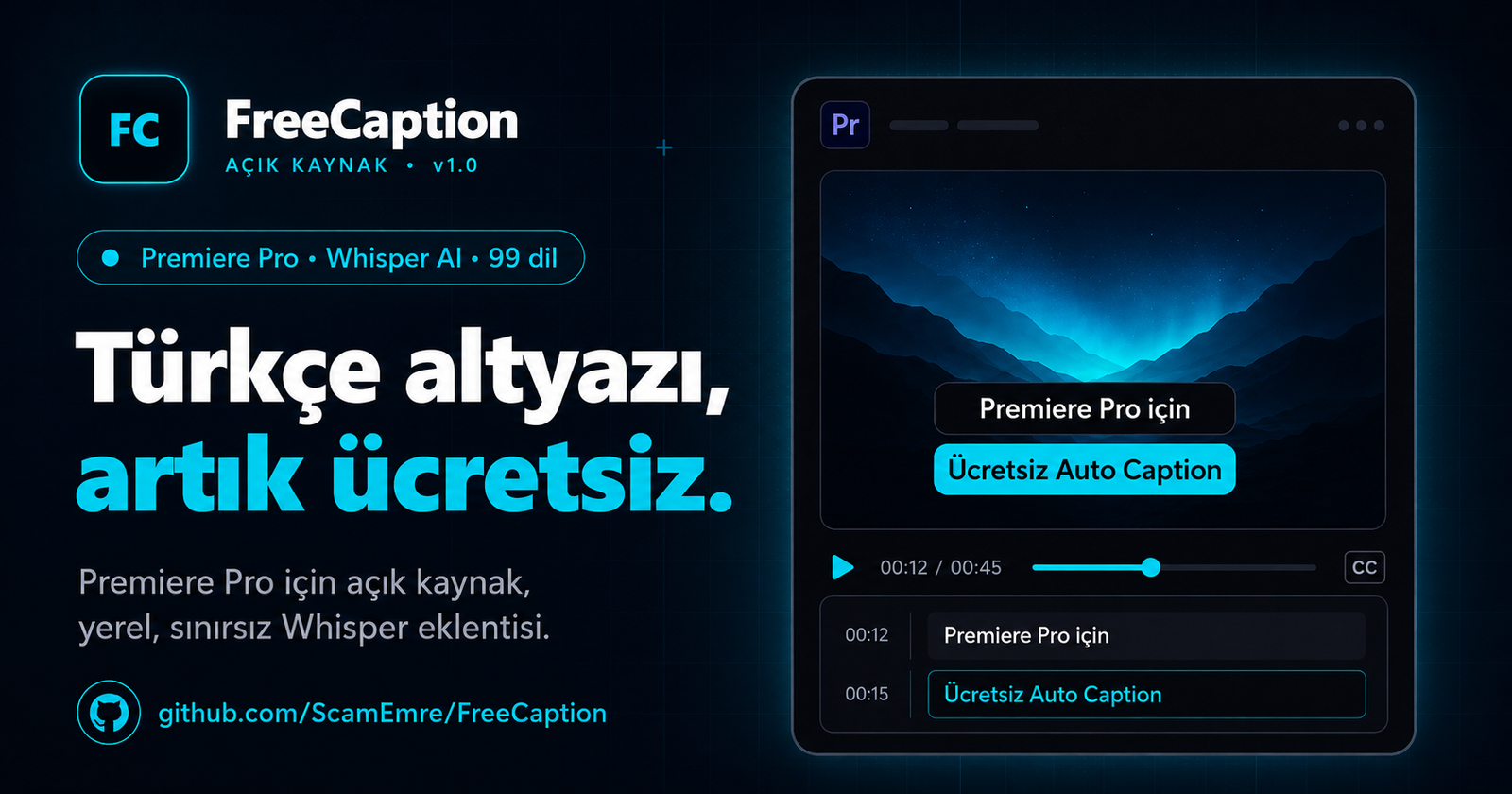
FreeCaption: preview of the Turkish subtitle panel inside Premiere Pro
Features

Whisper Large-v3 + WhisperX

OpenAI's most powerful speech model, with word-level forced alignment at ±20ms precision. Karaoke sync does not drift.

GPU Acceleration

With an NVIDIA graphics card, one minute of audio takes about 8-15 seconds. Without one it also runs in CPU mode, just slower.

Fully Local

Your videos are not uploaded to any cloud. All processing happens on your own computer. Privacy guaranteed for sensitive content.

Unlimited Use

No monthly quota, no file size limit, no subscription fee. Install once, use without limits.

Premiere Integration

Runs inside Premiere as a CEP plugin. The caption track is created automatically and the SRT lands on the timeline.

Smart Line Splitting

18/22/28/35 characters per line. The right length for every platform, from Reels to YouTube.

Style System

Karaoke, Fade, Pop, Type, Bounce animations. Full control of font, color, stroke and shadow. PNG sequence export.

VDS Server Mode

Central server setup for teams. One-step deploy to Windows Server with PowerShell. Secure access with an API Key.

99 Languages

Optimized for Turkish; transcripts in 99 languages including English, German, French, Arabic, Chinese and Japanese.

Setup · 10-25 min · One Time

One-click setup, endless subtitles.

Install it on your computer once, then use it with one button inside Premiere. No cloud, no subscription, no quota. Fast mode if you have an NVIDIA graphics card, CPU mode if not; setup picks it for you.

01

Install

1. Extract the zip to a folder (C:\FreeCaption). 2. Double-click KUR.bat and wait for the HER SEY HAZIR! message. 3. Close and reopen Premiere: Window > Extensions > FreeCaption. Step-by-step setup guide

02

Select a Clip

Click a video or audio clip on the timeline. The FreeCaption panel detects it automatically.

03

Generate

Choose the character limit and the language, then press Altyazı Üret (Generate Subtitles). Whisper AI turns the audio into a transcript.

04

Lands on the Timeline

The SRT is created automatically and placed on the Premiere timeline as a caption track.

Comparison

FreeCaption vs. commercial alternatives.

A detailed feature comparison of Turkish subtitle plugins for Premiere Pro. Neither SubStudio nor GetSubs: open source, local and unlimited.

FreeCaption Adobe Built-in Commercial Plugins
Turkish support ● Yes ○ No ● Yes
Open source (MIT) ● Yes ○ No ○ No
Local processing (privacy) ● Local ○ Cloud ○ Cloud
Price Free Creative Cloud subscription Monthly subscription
File / duration limit Unlimited Yes Yes
Word-level alignment ● WhisperX ○ No Partial
Monthly usage quota Unlimited Limited Quota
GPU acceleration ● GPU or CPU ○ N/A ○ N/A
Tech Stack

Whisper AI, CUDA and a modern subtitle stack.

Built on industry-standard OpenAI Whisper, WhisperX fast alignment and the faster-whisper / CTranslate2 optimizations. Embedded in Premiere with Adobe CEP + ExtendScript.

OpenAI Whisper large-v3 WhisperX faster-whisper CTranslate2 PyTorch 2.7 CUDA 12.8 FastAPI · Uvicorn Adobe CEP ExtendScript FFmpeg Python 3.12 Caddy NSSM
Frequently Asked Questions

Everything about Turkish subtitles in Premiere Pro.

Still have a question? Reach out on GitHub Issues.

How do I add Turkish subtitles in Premiere Pro?
Adobe Premiere Pro's built-in captioning does not support Turkish. Adobe provides automatic captions only for major world languages such as English and Spanish. For Turkish, you can install a CEP plugin like FreeCaption and create automatic Turkish subtitles with one click inside Premiere. Setup is a single file: double-click KUR.bat and it installs once in 10-25 minutes.
Is FreeCaption really free?
Yes, it is completely free. It is published on GitHub as open source under the MIT license. There is no monthly subscription, usage quota, file size limit or hidden fee. Install once, use without limits. You can read the source code and change it to fit your needs.
Do I have to upload my videos to the cloud?
No. FreeCaption runs fully locally: all transcription happens on your own computer. Your videos are not uploaded to any cloud or sent to third-party servers. Privacy is guaranteed for sensitive content (corporate meetings, client shoots, etc.). Competing plugins such as SubStudio, GetSubs and Brevidy process in the cloud.
How is it different from SubStudio, GetSubs or Brevidy?
These commercial plugins charge a monthly subscription and upload your videos to the cloud. What FreeCaption does differently: (1) Free: no subscription. (2) Open source: MIT license, code on GitHub. (3) Local: privacy, files do not go to the cloud. (4) Unlimited: no quota. (5) GPU acceleration: fast mode with an NVIDIA graphics card, CPU mode without one. Turkish accuracy is high thanks to the Whisper large-v3 + WhisperX model.
Which languages does it support besides Turkish?
Because FreeCaption uses the OpenAI Whisper model, it can transcribe in 99 languages. It is specially optimized for Turkish. Languages such as English, German, French, Spanish, Italian, Arabic, Russian, Chinese, Japanese and Korean are supported with high accuracy. If you produce multilingual content, one plugin covers all of them.
Is it suitable for TikTok, Instagram Reels and YouTube Shorts?
Yes, FreeCaption is designed especially for short-video platforms (TikTok, Reels, Shorts). Smart line splitting offers 18, 22, 28 or 35 characters per line: the right length for each platform. Modern animation styles such as Karaoke, Fade, Pop, Type and Bounce can be exported as a PNG sequence.
Does it work without an NVIDIA graphics card?
Yes. An NVIDIA graphics card is not required. Setup checks your computer and picks the mode itself: fast mode (large-v3 model) with an NVIDIA card, CPU mode (medium model; slower but it works) without one. One minute of audio takes about 8-15 seconds with an NVIDIA card and about 3 minutes on CPU. Times are approximate and depend on your computer.
What should I do if setup gets stuck?
Find the message shown on screen in the troubleshooting table of the Setup Guide; the fix is written next to each message. In most cases running KUR.bat again is enough, it continues where it stopped. If that does not help, attach the install_log.txt file from the FreeCaption folder and report it on GitHub Issues.
The panel does not show up in Premiere, what should I do?
First look under Window > Extensions (Legacy); in Premiere Pro 2026 the panel may appear there. If it is not there, close Premiere completely and open it again. If it still does not show, run cep_kur.bat one more time. If your Premiere version is older than 2023 (23.0), the plugin is not supported.
Which computers does it run on?
It needs Windows 10 or 11 (64-bit), Premiere Pro 2023 (23.0) or later (including 2026), at least 8 GB of free disk space and an internet connection during setup. In Premiere Pro 2026 the panel may also appear under Window > Extensions (Legacy). There is no local server on macOS; the panel connects to a remote server.
Which output formats does it support?
FreeCaption creates an SRT file and places it on Premiere Pro's caption track automatically. For animated subtitles there is PNG sequence export (transparent, with alpha channel). Word-level timing is kept by WhisperX with ±20ms precision, so karaoke sync does not drift.
Can an agency or team set up a central server?
Yes. With VDS Server mode you can install it on a Windows Server. It is deployed in one step with PowerShell (Caddy + NSSM + FastAPI stack). Team members connect to the central server securely with an API Key. No separate install is needed on each computer, and the model is updated from a single place.
Download · v1.1.3 · MIT License

A free Turkish
subtitle plugin.

One file, one setup, endless subtitles. Extract the zip, double-click KUR.bat; ready in 10-25 minutes. Fast with an NVIDIA graphics card, and it also runs on CPU without one.

Download v1.1.3 Buy me a coffee Setup Guide

FreeCaption-v1.1.3.zip · 1.56 MB
SHA256 70c251dcbb51f1229e265f33594752276d1b7e1d39a44ff7db255f4c60ddd91d